How does the e-signing of a document look?
Documents e-signed in Client Engager, as with other practice management, tools takes the approach of the client signing off the whole document by typing in their name to a box at the bottom of the widow where they view the document requiring e-signing.
Once signed the document is assigned a front cover as shown below. This cover details all required details for the e-sign to be classed as legal.
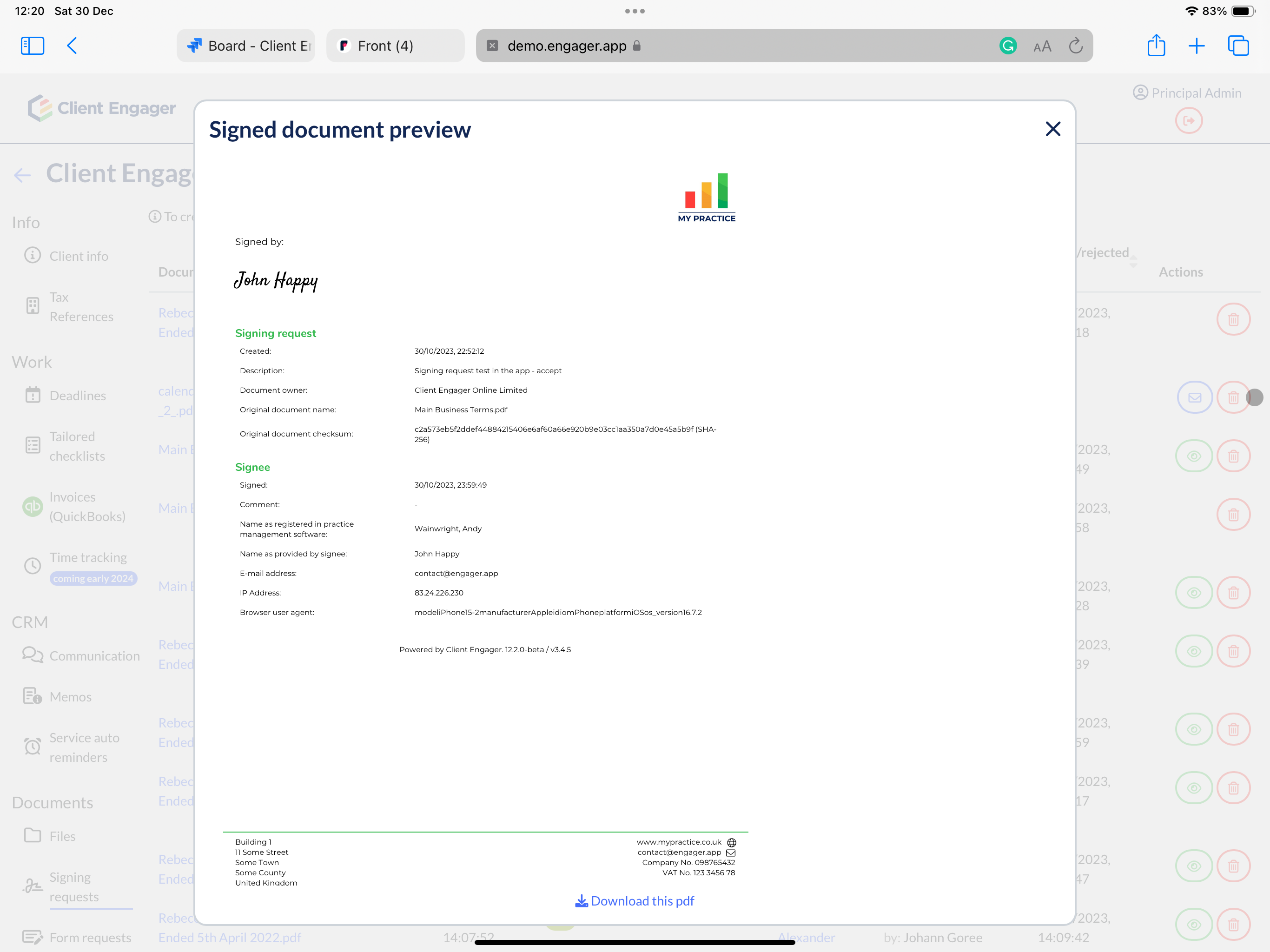
The Client Engager e-sign tool does not allow you to state where the signature should go on the document or allow multiple signature locations like best in class tools often do.
Clients can only sign documents using the Client Engager e-signing tool if they have a client portal.
Related Articles
Married Couples, Portals, Sharing Email addresses & E-signing
Married Couples Portals and E-signing We often receive requests to see how people can workaround around this in their Engager account, We you to be aware of your responsibilities and risks. Legally speaking, a married person, or anyone else for that ...Has my client signed a document or approved a signing request
We often get questions about whether a client has actually signed an engagement letter or approved a signing request. We get it, it's tricky on first glance as you can't quite see the ESIG over the document You'll receive a Notification that your ...Document Designer: Customising Your Documents
Engager’s Document Designer feature empowers practice owners to completely customise the appearance of any document generated within the platform. This includes Letters of Engagement, Letters of Disengagement, Professional Clearance letters, and any ...How to Add Linked Images to Document and Message Templates in Engager
This guide will walk you through the steps to add images with hyperlinks to your message and document templates in Engager. This feature is useful for incorporating branded visuals, call-to-action images, and other linked content directly into your ...How to request Esignings / Client Document Approvals
One of the most powerful tools within Engager is our client approval process. No more attaching bulky PDFs or workings to an email and worrying about file size limits, no more potential issues with emails being insecure or being diverted to junk ...